I made this video YEARS ago, but had it posted on some video service which went defunct a while ago. I don't know why I never thought to put it on Youtube, but it's up there now!
And to celebrate my realization that people watch things on the Youtubes, I'm also going to post the video here on ma blog.
If you or anyone you know is looking for some simple pointers on basic audio editing, this video should help.
Enjoy!

Showing posts with label editing. Show all posts
Showing posts with label editing. Show all posts
Friday, June 17, 2011

Friday, July 11, 2008
Noise Reduction shoot out - Sound Forge, iZotope, Audacity, Audition, Waves, and doin it by hand!
 So, this is going to be a longer post...
We're going to compare 6 different methods of noise reduction.
I get a lot of questions about cleaning up audio after recording, hums, clicks, pops, line noise, neighbors, fridge, etc. A lot of people are still trying to gate or EQ this stuff out, and those methods don't work particularly well for voice over, especially dry auditions.
 Gating will turn off the audio signal when you're not speaking, which gives you perfect silence, but when you start speaking again the noise is back too. This can be VERY unnatural depending on the noise.EQ can work, but usually to the detriment of the entire piece of audio, as you are carving out chunks of the frequency spectrum. Those chunks start carving into your voice as well. Sort of like destroying the town to save the town...
 Ideally you'd just want to record clean in the first place, but sometimes you just can't help but knock something out and hope you can clean it up after the fact.Noise Reduction plugins to the rescue!To test, I set up my Solaris to records in "Figure 8" mode (so the front and back of the mic are recording equally), set one side up for me, and put the other side of the mic right up against my bathroom door with the fan running.
This is a worse case scenario for voice over, as fans tend to generate noise that slices right through the middle of the human voice's spectrum. That means that as you remove fan noise, you're likely carving out a chunk of the voice as well. A less extreme version of this would be a fridge kicking on or the AC running.
 All of these plugins (and doing it by hand) work on the same general principal, point out what undesirable noise looks like, and try to get rid of only that noise. [Check out the Audacity Tutorial for Noise Reduction in practice - Ed.]
I attacked the samples pretty aggressively with each method. For the test, the main idea was to all but eliminate the background noise, even if it damaged the voice. Real world, you would probably want to leave a little more noise to prevent damaging the recording.
So first up, here's the unaltered file:
Sony Sound Forge NR plugin:
iZotope RX De-Noiser:
Audacity NR plugin:
Adobe Audition NR Plugin:
Doin it by hand with Phase Inverse:
Waves Restoration X-Noise:
 Again, this is most certainly a worst case scenario when it comes to noise reduction, and hopefully you don't encounter this much noise on a regular basis. I find the results interesting listening back. There are two methods up here which are essentially free, and the most expensive plugin comes in a pack which runs about $1000.
So what do YOU think? Are there other plugins that I'm missing?
Monday, June 30, 2008
The COOLEST upgrade I've made to my studio...
So I don't run a full both out of my home (apartment) anymore. I do so much work around town, that I can usually find a dedicated recording space with just a little heads up notice. I still do the odd recording at home from time to time, but the bulk of the work I do at home is editing.
I was really excited moving into our new place, as we now have central air, and my little workstation is kind of tucked away right under a vent. I'm a small guy, but I tend to overheat when sitting in the same spot for too long.
So imagine my dismay, when on my first editing job in the new place, I found myself sweating like a pig. With the AC set to 70 degrees. Mrs. Audio Guy turning blue...
Yesterday, I think I solved the problem.
 I dismantled the lighting fixture above my head (low ceiling) to find two 120 watt light bulbs. It took the glass bowl about 45 minutes to cool down enough for me to un-screw it.
I popped in two CFL's, and I've drastically cut the temperature coming down on my head.
Maybe save a little power (and money) to boot!
Just a word of warning though. I don't know that I would recommend CFL's for actual booth set ups. CFL's do "hum", which could impact recordings. YMMV...
Picture courtesy of Brandeis University, which also has a handy little chart comparing the total cost of ownership between incandescent and CFL light bulbs.
I was really excited moving into our new place, as we now have central air, and my little workstation is kind of tucked away right under a vent. I'm a small guy, but I tend to overheat when sitting in the same spot for too long.
So imagine my dismay, when on my first editing job in the new place, I found myself sweating like a pig. With the AC set to 70 degrees. Mrs. Audio Guy turning blue...
Yesterday, I think I solved the problem.
 I dismantled the lighting fixture above my head (low ceiling) to find two 120 watt light bulbs. It took the glass bowl about 45 minutes to cool down enough for me to un-screw it.
I popped in two CFL's, and I've drastically cut the temperature coming down on my head.
Maybe save a little power (and money) to boot!
Just a word of warning though. I don't know that I would recommend CFL's for actual booth set ups. CFL's do "hum", which could impact recordings. YMMV...
Picture courtesy of Brandeis University, which also has a handy little chart comparing the total cost of ownership between incandescent and CFL light bulbs.
Thursday, January 3, 2008
Audacity Development for the Mac - A Call for Help?
 Recently I posted on Audacity's update to 1.3.4, well I didn't notice at the time, but that update was for Linux and Windows only (the two OS's I primarily use at home) not OSX. Apparently OSX has STILL not received the update as there are no Mac users working on Audacity anymore.
TUAW links to the Audacity forums, where recently a call for developer help just went out. I was happy to see that it was answered pretty quickly on both the forum AND TUAW. With that I thought I would second the call, help put out the word, as Audacity is a fantastic audio editor, and it's never good to let a platform lag too far behind. To my knowledge it's still the only Open Editor that plays across all three major PC platforms.
I still find it odd though, that with the Mac becoming a more and more attractive solution (thanks Vista), and has always been known as a "creative friendly" platform, that there isn't more development of this kind of software.
I don't normally write about this (I only made it through one semester of CS), but if anyone out there develops for Mac, and has some time to throw in for a GREAT piece of software, I'm sure it would be appreciated!
TUAW
Audacity Forum
Tuesday, September 4, 2007
Remove Vocals From Music. Make Your Own Horrible Karaoke Tracks! FOR FREE!!!
So I've played around with this before. I dont really do much music work, so this hasn't been anything I've invested any serious time into. Though this Youtube tutorial is a great step by step if you want to start cutting music up.
So the general gist of this is, you get Audacity, then if the vocals are in the middle of the stereo spectrum you can cancel them out.
Basically if you have a sound, and you line it up with the exact opposite of that sound, the two will cancel each other out to silence. A lot of music will put the singer in the middle, then pan the instruments either right or left (thats why in stereo the guitar sounds like it's on your right, the bass on the left, etc). Since the music is pushed to the sides it should stay intact, and the singer should cancel itself out. Simple enough concept, but it doesn't always work (especially if effects are used, or an instrument is featured front and center, then the instrument gets canceled out).
Even if it doesn't work though, you can stumble into some unexpectedly cool effects (weird reverbs and ghosting).
Anywho, check it out ... if this is the thing you're into .... you weirdo karaoke person you ...
So the general gist of this is, you get Audacity, then if the vocals are in the middle of the stereo spectrum you can cancel them out.
Basically if you have a sound, and you line it up with the exact opposite of that sound, the two will cancel each other out to silence. A lot of music will put the singer in the middle, then pan the instruments either right or left (thats why in stereo the guitar sounds like it's on your right, the bass on the left, etc). Since the music is pushed to the sides it should stay intact, and the singer should cancel itself out. Simple enough concept, but it doesn't always work (especially if effects are used, or an instrument is featured front and center, then the instrument gets canceled out).
Even if it doesn't work though, you can stumble into some unexpectedly cool effects (weird reverbs and ghosting).
Anywho, check it out ... if this is the thing you're into .... you weirdo karaoke person you ...
Powered by ScribeFire.
Tuesday, August 7, 2007
Central Jersey Music Studios Trying to Avoid Sounds of Silence
Story out of the Courier News,
I'm sure this isn't just localized to NJ, but this is a pretty decent write up of the challenges facing media engineers. We've already witnessed the de-valuing of qualified computer technicians thanks to Geek Squad and the like. I fear the same thing could happen to recording engineers if they don't pay attention to whats going on around them. Media diversification and ease of equipment acquisition are going to make the "market place" extremely competitive.
I'm sure this isn't just localized to NJ, but this is a pretty decent write up of the challenges facing media engineers. We've already witnessed the de-valuing of qualified computer technicians thanks to Geek Squad and the like. I fear the same thing could happen to recording engineers if they don't pay attention to whats going on around them. Media diversification and ease of equipment acquisition are going to make the "market place" extremely competitive.
"There are a lot of advantages of recording
in the home," said Lambertville-based singer-songwriter John Sonntag.
"I can do a lot of tracking here while keeping a budget in line. Trying
to make a living as a musician is tough, but in the digital world, it
becomes a possibility."Sonntag
also is one of a growing number of area home-studio owners who are
opening their basements, garages or closets to other musicians who want
to document their craft at minimal expense.
As
a result, professional studios now find themselves needing to turn up
the volume of their own advantages -- to avoid the risk of fading out.
Even
legendary New York studios such as The Hit Factory and Sony Music
Studios -- recording home of some of the biggest-selling albums and
artists of all time -- have closed within the past two years.
"It's
always been a challenge for (professional recording studios) to
survive, and this is just another thing added to the mix," said Matt
Ballister, owner and head engineer of MJB Recording in Union."I
get some bands in, and if I charge them $40 an hour, they ask me to do
it for $30 an hour. If I charge $30 an hour, they ask for $20 an hour.
And if I say I can't do it, they're like, 'I'll just go to my friend's
house and do it at his home studio.' "
"I just tell them, 'Go ahead.' "
One nice thing about the article is I stumbled upon a great blog. GarageSpin has more of a music focus, but is chock full of excellent info. You should check it out!
Powered by ScribeFire.
Thursday, June 28, 2007
Why New Music Doesn't Sound As Good As Older Music
Winning the loudness war! With state of the art compression, we think nothing of boosting the "Loudness" of our tunes now. Unfortunately that can really hurt what we're trying to help...
I've actually had this argument with a couple clients. A few in particular love using tons of compression. It makes their voices sound full and rich and loud. Problem is that unless the audition is played on pro monitors with a lot of tolerance, instead played, on say, crappy speakers built into an LCD, then the audition is going to sound garbage. It'll sound muddy or distorted, and more than likely the person listening will reach for the volume knob.
If they're already reaching for the volume, why not reach for a skip track button?
Click READ MORE to check out the story on Yahoo news.
read more | digg story
someaudioguy some audio guy audio recording voice over demo production voice acting auditions adr dubbing foley
And here's a practical example from the linked article showing what kind of damage can occur by making things "loud".
I've actually had this argument with a couple clients. A few in particular love using tons of compression. It makes their voices sound full and rich and loud. Problem is that unless the audition is played on pro monitors with a lot of tolerance, instead played, on say, crappy speakers built into an LCD, then the audition is going to sound garbage. It'll sound muddy or distorted, and more than likely the person listening will reach for the volume knob.
If they're already reaching for the volume, why not reach for a skip track button?
Click READ MORE to check out the story on Yahoo news.
read more | digg story
someaudioguy some audio guy audio recording voice over demo production voice acting auditions adr dubbing foley
And here's a practical example from the linked article showing what kind of damage can occur by making things "loud".
Sunday, April 22, 2007
NEW SOUND FORGE! HOW THE F@CK DID I MISS THIS!?!?!
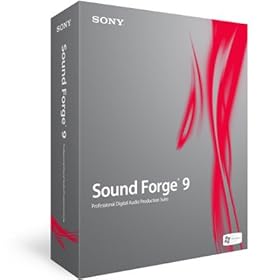
Yup,
We're up to SF9. I'm downloading the trial now. True Multi-track, built in noise reduction (finally), iZotope plugins, it looks all good!
Here's a brief review from Studio Monthly.
I'm stoked. I use SF more than any other audio program. Sure, sequencers like Sonar have grown up to include an impressive suite of editing tools, but if you quickly and easily want to get in and surgically edit audio there's nothing better than SF.
Saturday, March 17, 2007
Geeky Fun: VOCODING!

So I think we can all agree that the new centurions on BSG are much more menacing than the ones from the original Battlestar. Though, I really do wish they had voices.
[sigh]
Well lookee here, a whole webpage of free vocoder plugins to make your own robot voice dreams into reality! Now you can "BY YOUR COMMAND!" to your heart's content.
In all seriousness, I am a huge fan of 4ormulator, and still use it pretty regularly along with Vokator (not free) and the Computer Music Vocoder (have to buy a $15 magazine, but comes with samples and software, so not a bad deal).
Also I'm thinking of holding a series of audio editing/sound effects contests soon, and "robot voice" sounds like a fun one. I'll just have to dig up some prizes first...
voice over someaudioguy voice acting some audio guy recording plugin software editing sound effects
Thursday, March 15, 2007
Why not ME! I WANT THAT!
Snapper.
I want Snapper.
I want it badly.
I really want to see if I can find a windows equivalent. With as many assorted pieces and snippets of sound as I have accumulated over the years, it would be nice to sort them as easily as I sort my pictures in Picasa.
CHECK IT OUT HERE
Watching the demo, it seems so simple, but thats what makes it such a great idea...
[sigh]
I want Snapper.
I want it badly.
I really want to see if I can find a windows equivalent. With as many assorted pieces and snippets of sound as I have accumulated over the years, it would be nice to sort them as easily as I sort my pictures in Picasa.
CHECK IT OUT HERE
Watching the demo, it seems so simple, but thats what makes it such a great idea...
[sigh]
Subscribe to:
Posts (Atom)